Three page layouts, five palettes each, 15 examples in all
Color palette examples on a website
15 examples of a color palette on a website: the same landing page, dashboard and blog article, each repainted in five palettes by Recolor (recolor.page), a website color changer, and captured from the app. One page in five palettes shows what a palette changes on a site and what it leaves alone. Every example opens live, where Space gives the next palette and your own site's address replaces the sample.
Last updated
| Sample | What takes the palette | Palettes shown |
|---|---|---|
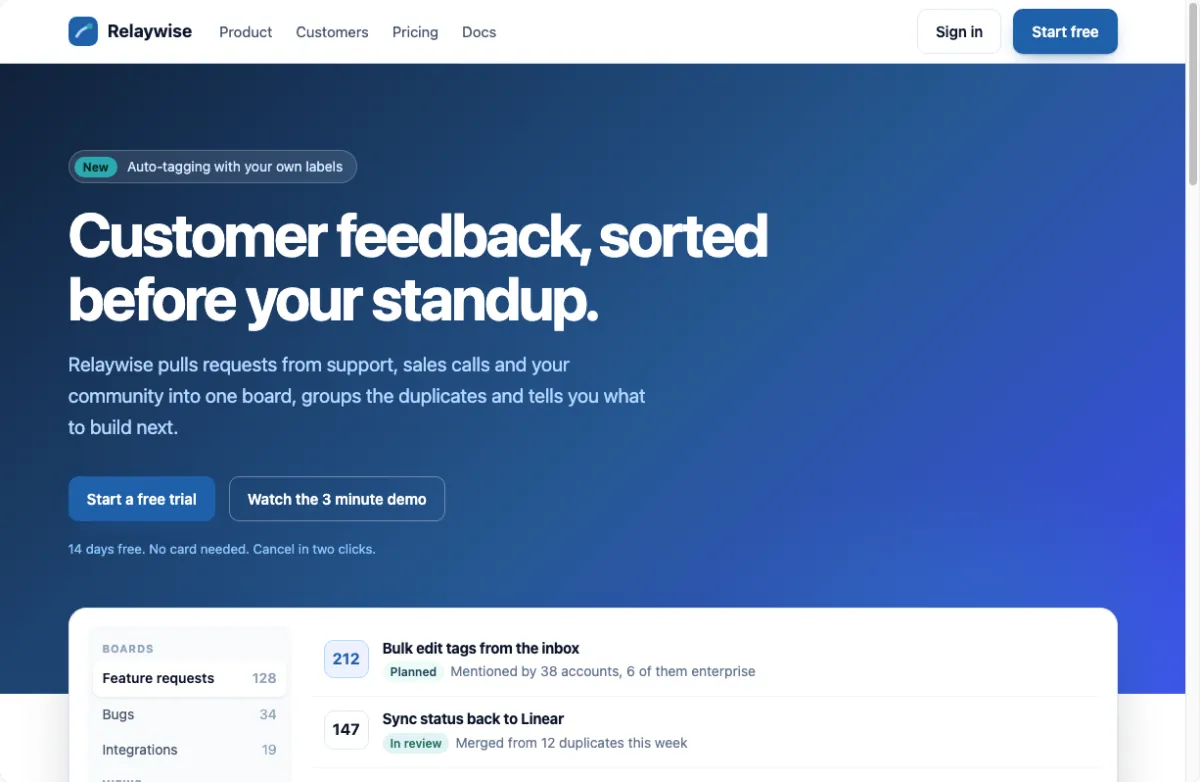
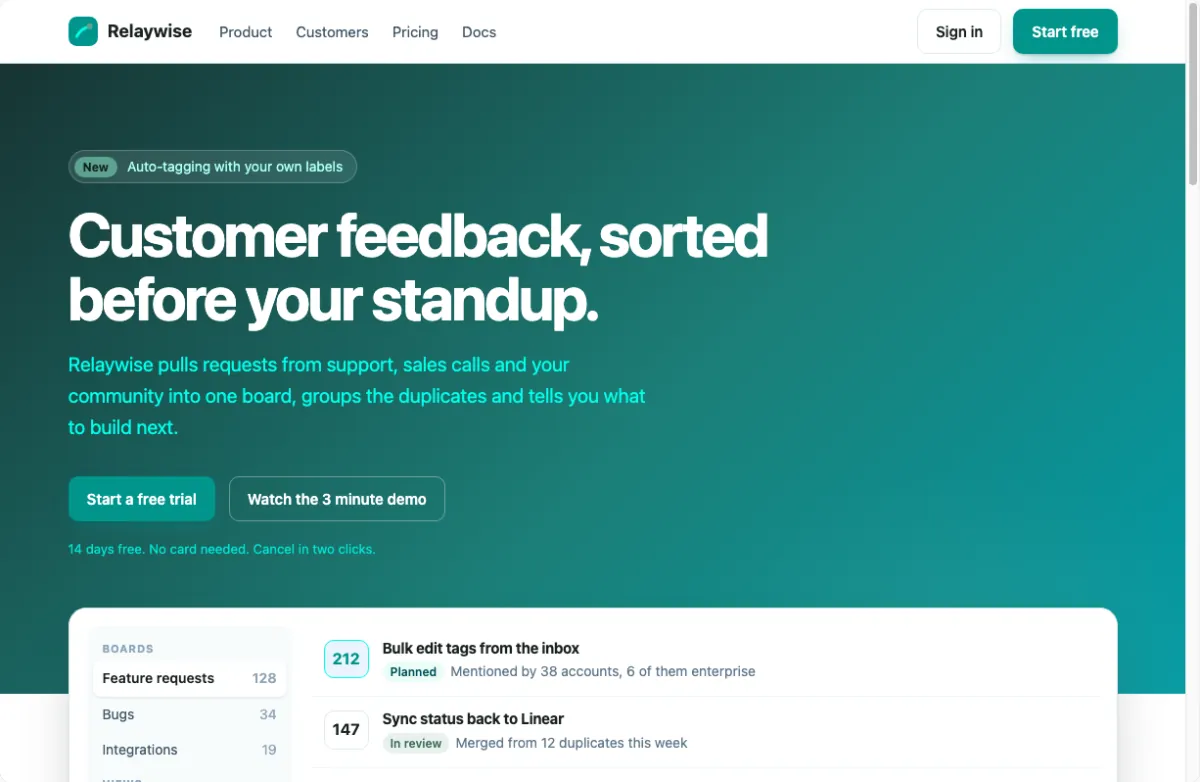
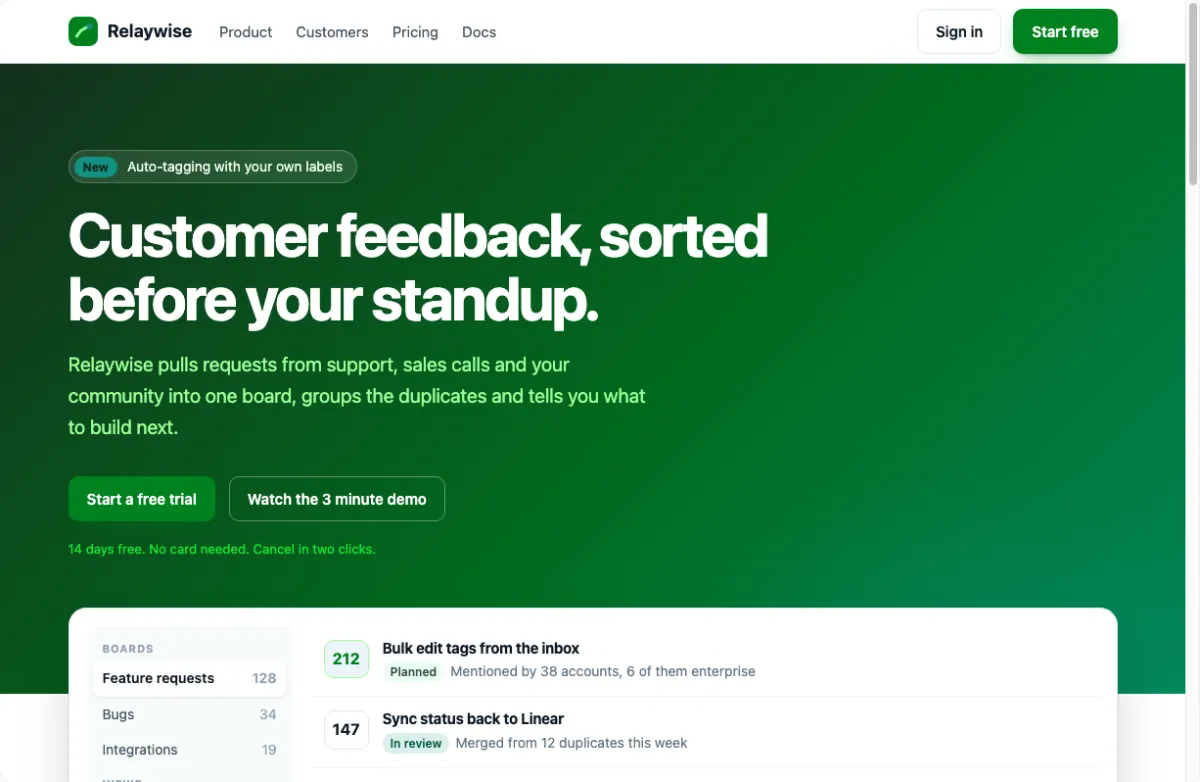
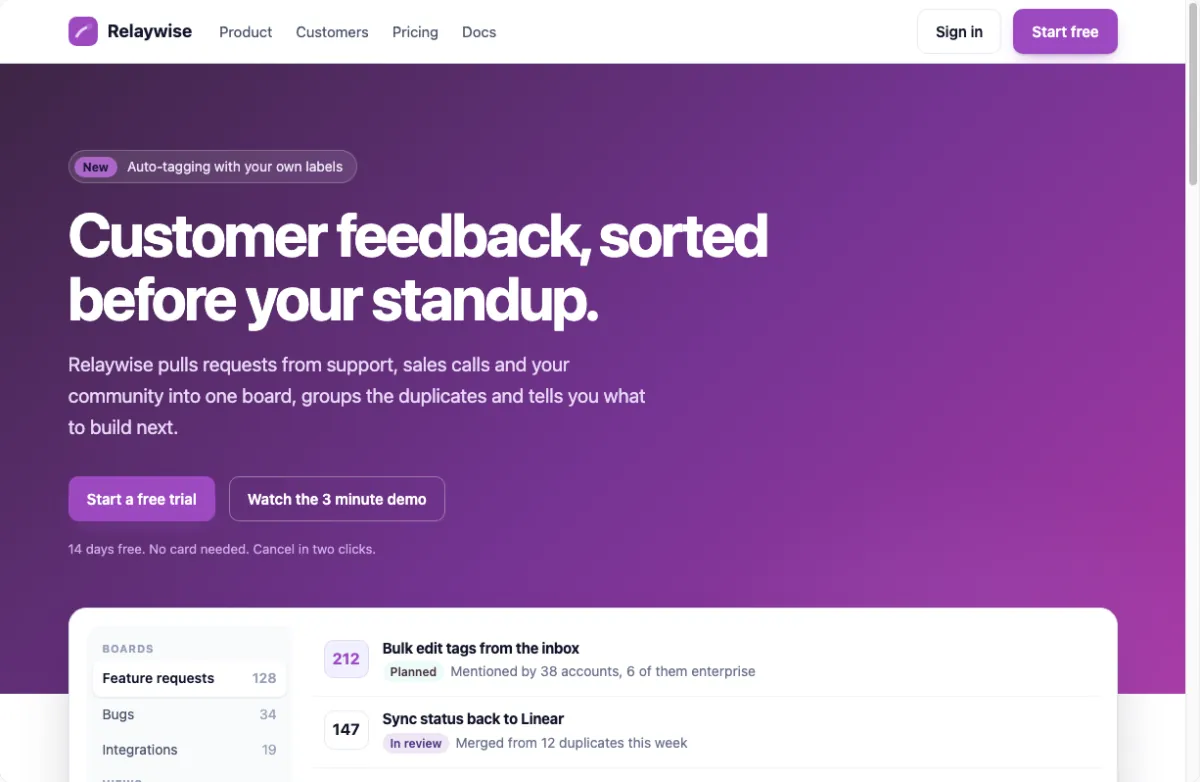
| Landing page | The hero gradient, buttons, logo, badges, status chips | Deep sea, Reef, Fern, Orchid, Spice market |
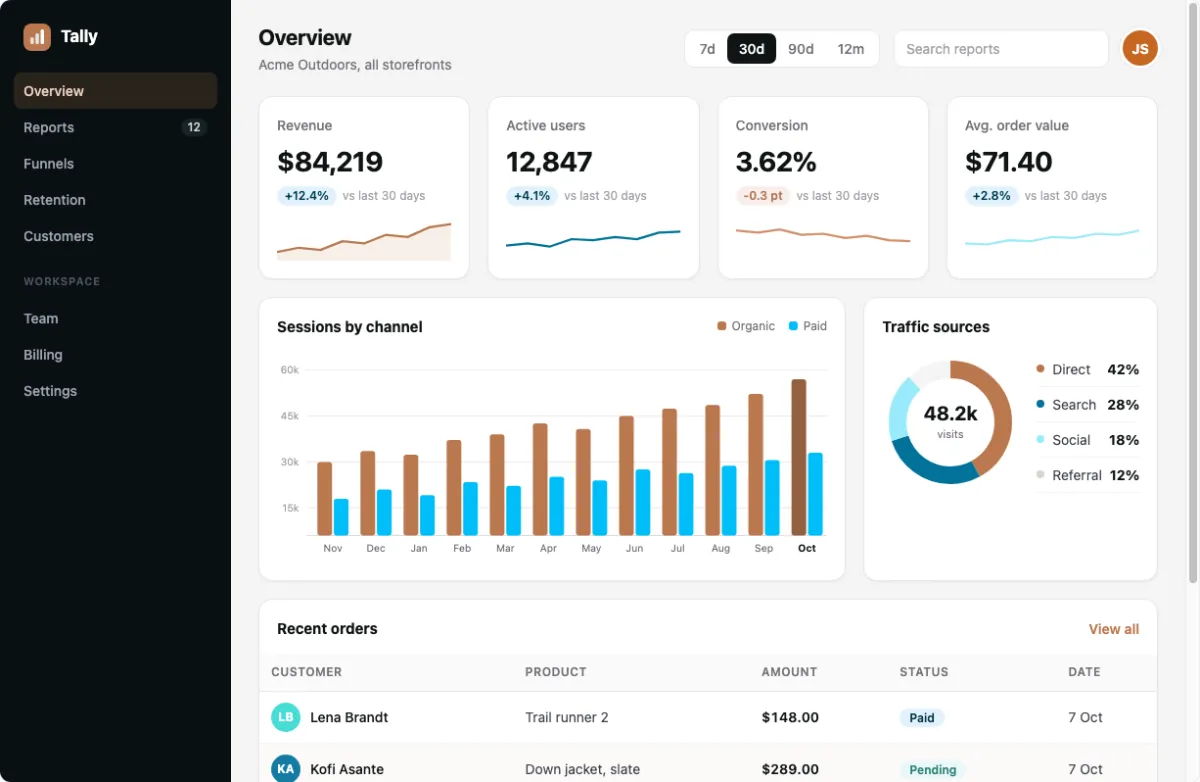
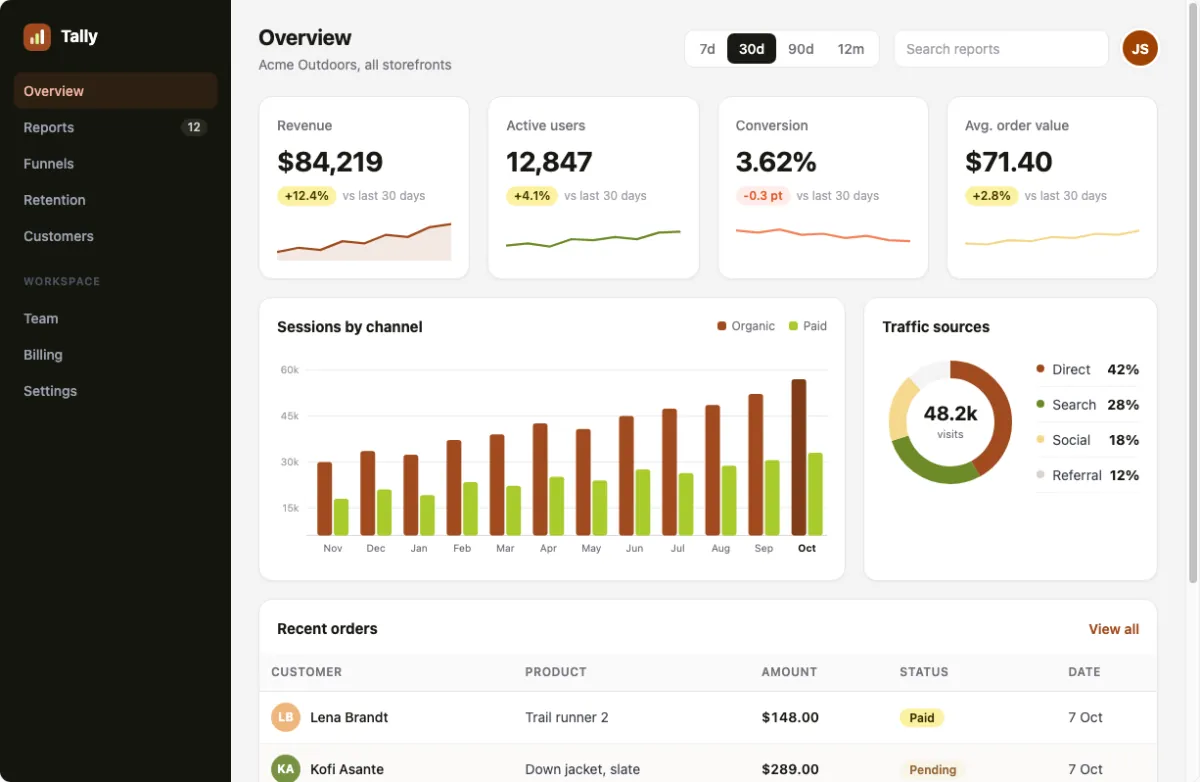
| Dashboard | Chart series, the donut, trend lines, status pills, avatars | Coral reef, Citrus grove, Indigo and ochre, Coast and clay, Autumn |
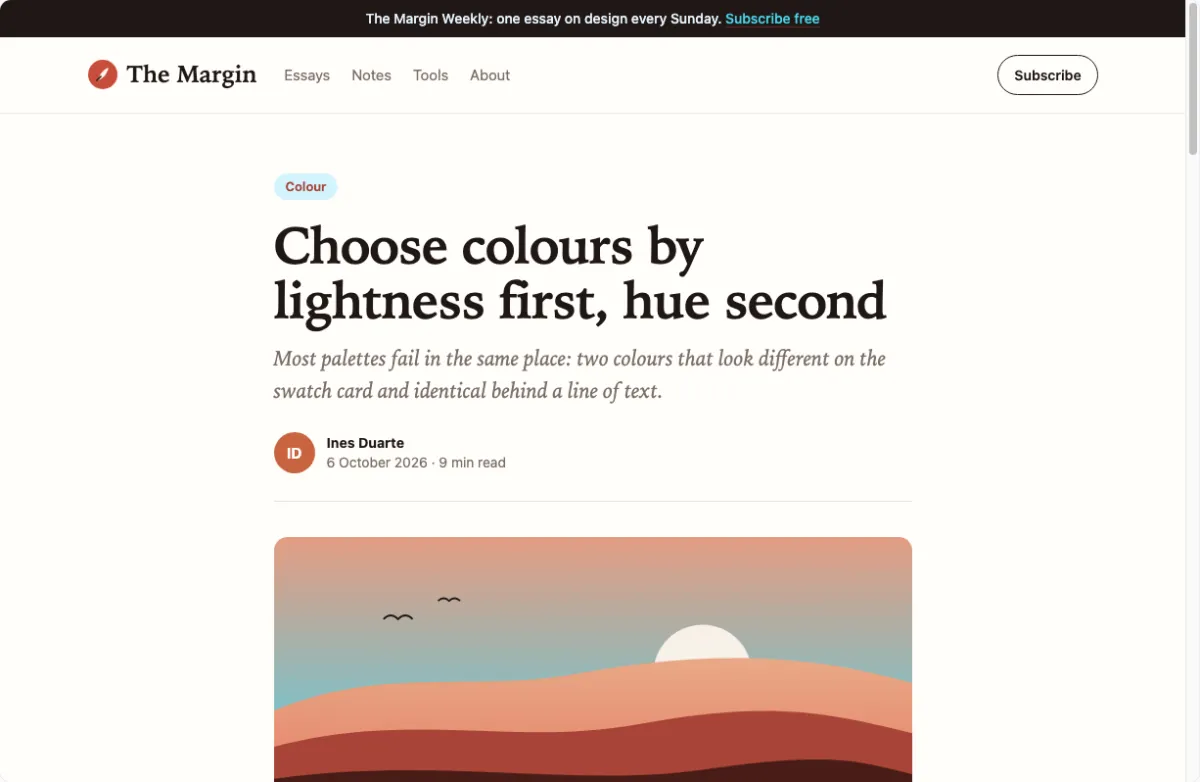
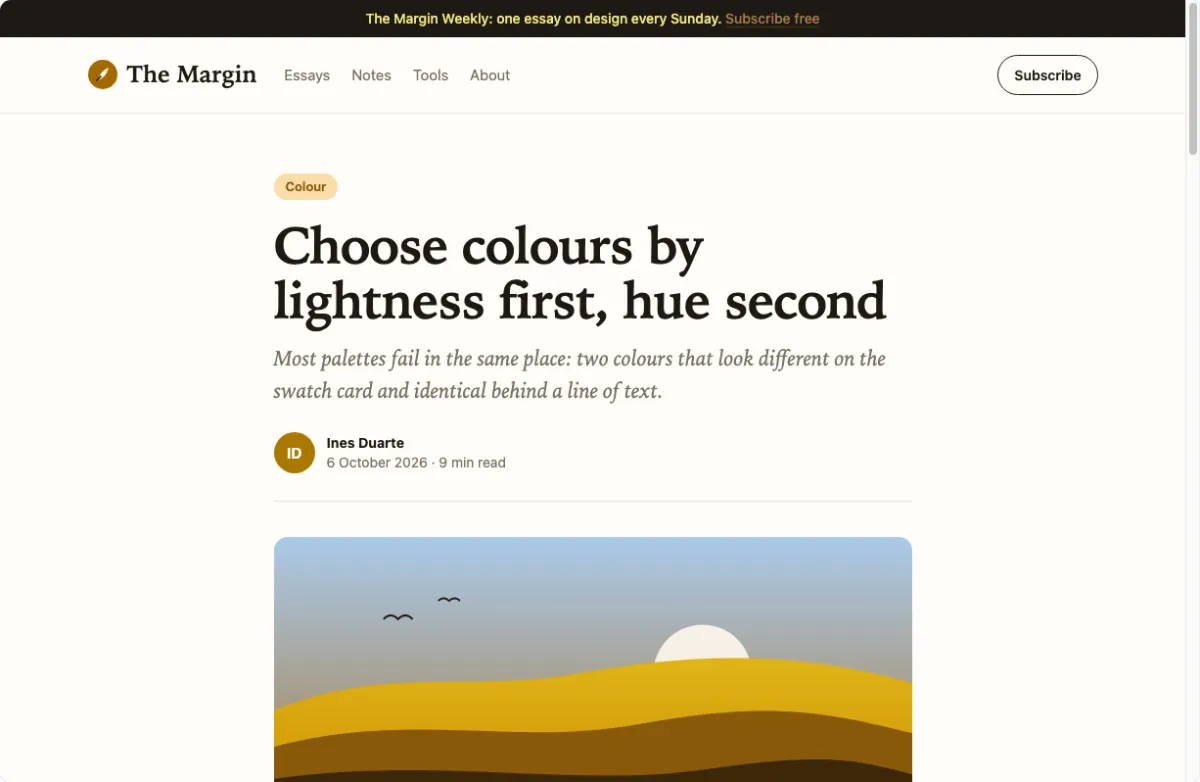
| Blog article | The illustration's sky and hills, the badge, the avatar, links | Coral reef, Slate and brass, Beach, Orchid, Citrus grove |
The landing page in five palettes
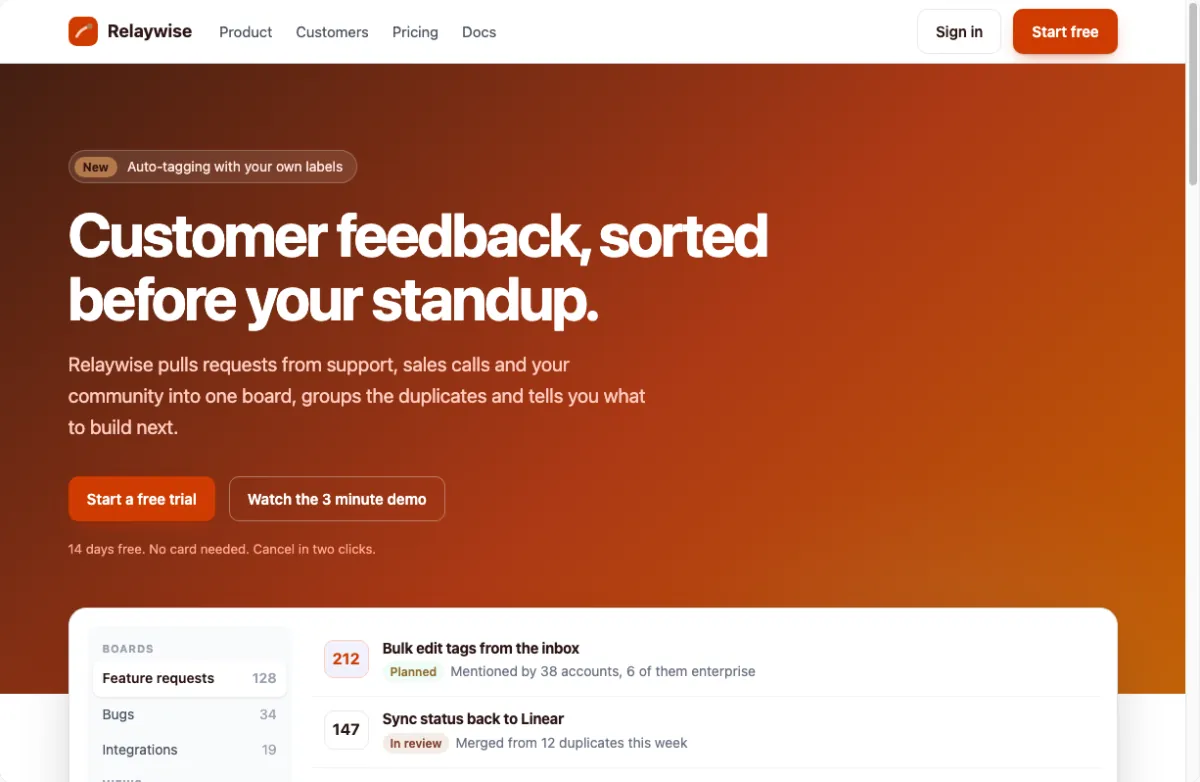
A software landing page: a hero with a gradient, two buttons, a "New" badge, and a product card with counts and status chips. Look at the hero first. Its gradient is the page's main color, so it takes swatch 1 and the palette's next color along with it; the logo tile and the primary buttons follow. The status chips in the card take the palette's tones too, and the white card and its grey text stay neutral with a faint tint of swatch 1.
The dashboard in five palettes
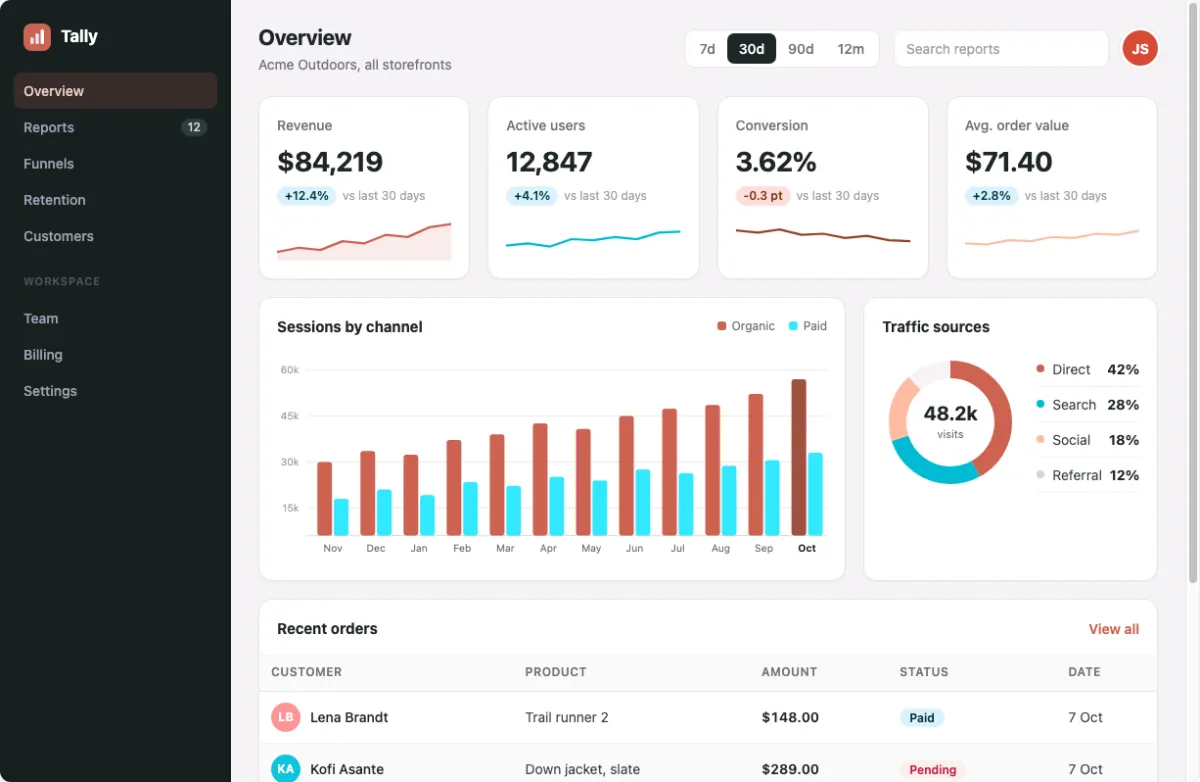
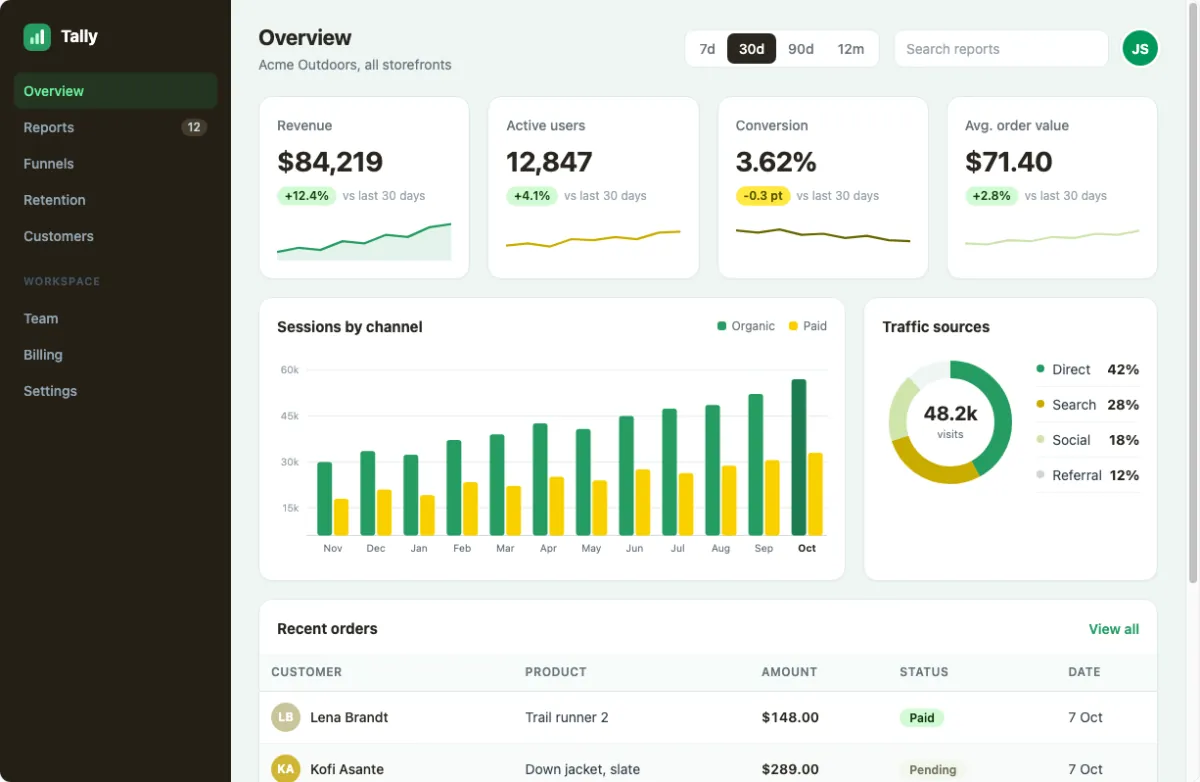
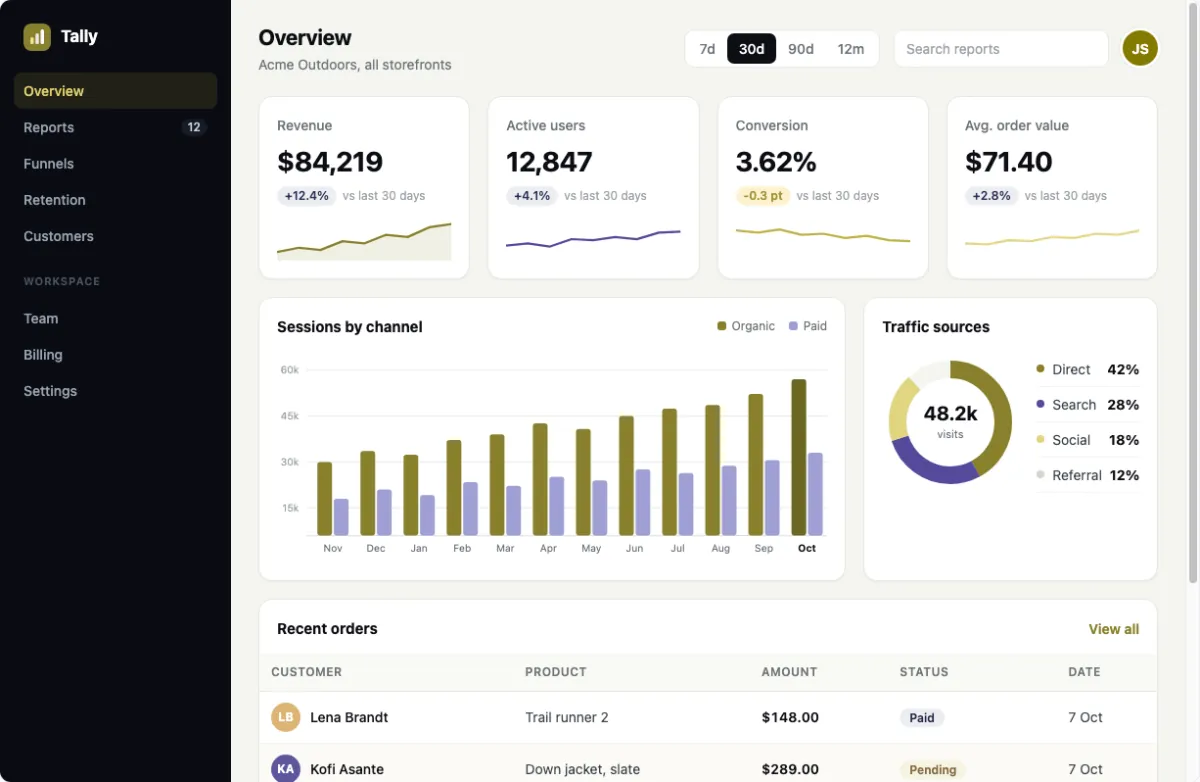
An analytics dashboard: four figures with trend lines, a bar chart with two series, a donut chart, and a table of orders with status pills and avatars. Look at the charts. Organic and Paid are two different colors on the page, so they land on two different swatches, which is why palettes with two strong hues show the most here. The donut's four segments, the trend lines and the status pills follow the same families, and the dark sidebar takes a tint.
The blog article in five palettes
A long-form article on cream paper: a category badge, the author's initials, a newsletter bar and an illustration of hills at sunset drawn as inline SVG. Look at the illustration and the small marks. The sky and the hills are SVG fills, so they repaint like any CSS color, layer by layer; the badge, the avatar and the bar's link take the palette, while the paper and the black text barely move, as body text should.
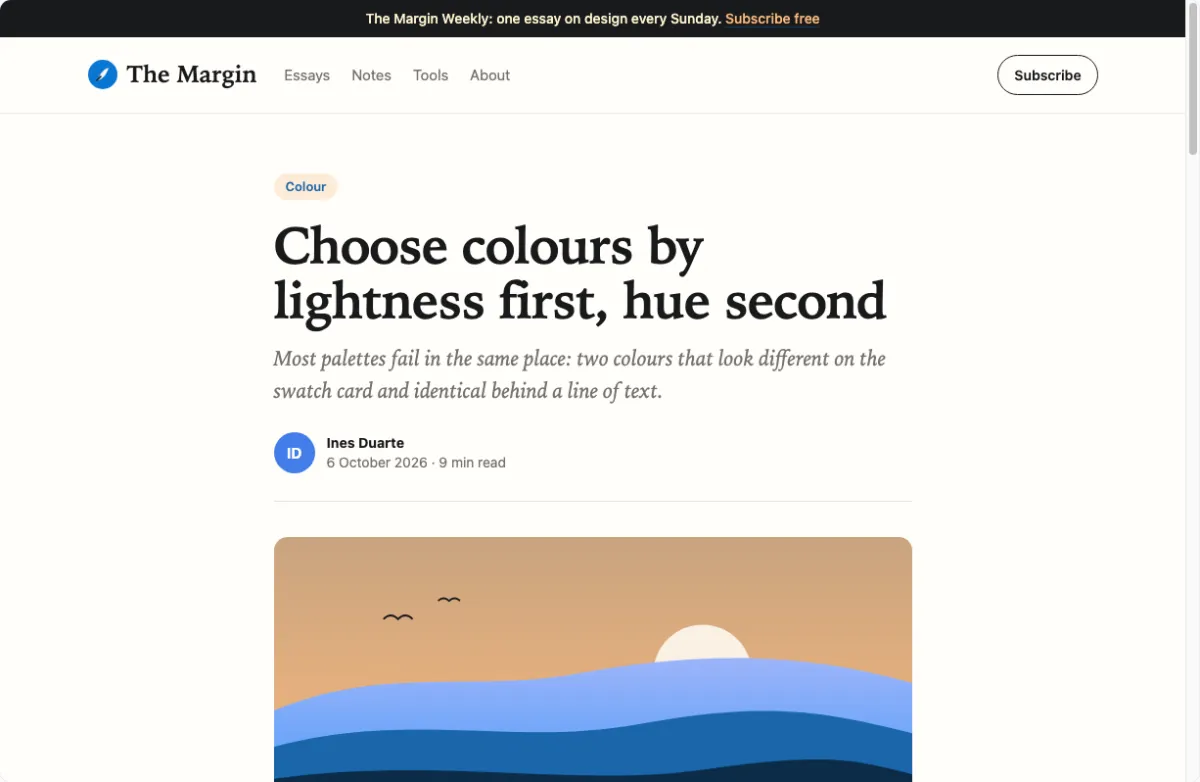
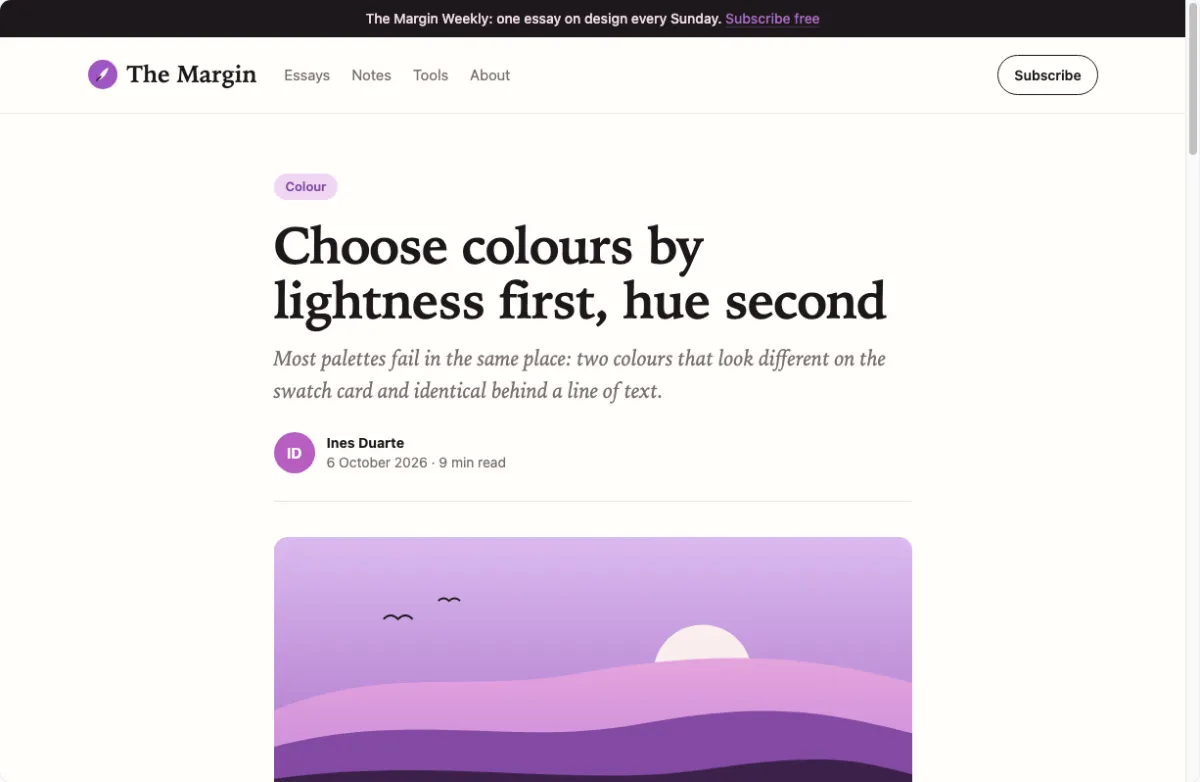
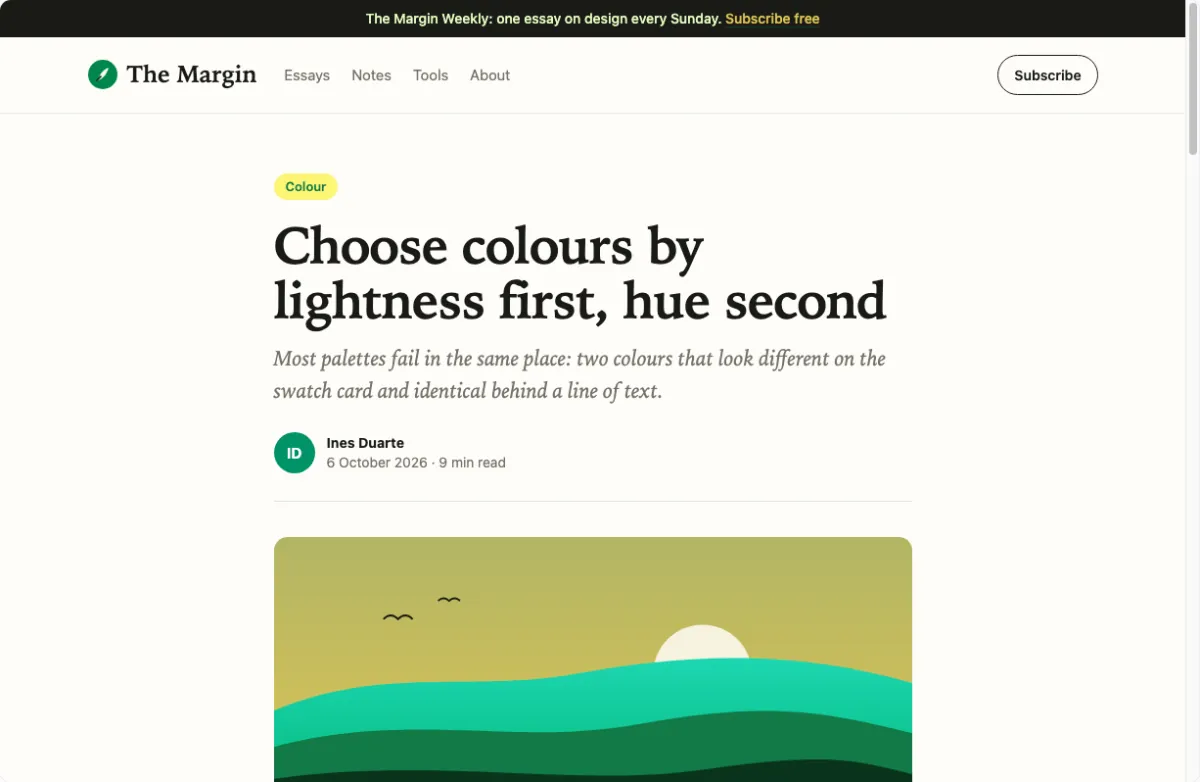
What a palette changes on a page
Recolor does not paint the page by hand. It reads every color in the page's CSS, groups the shades of each hue into a family, and gives each family a swatch: the heaviest family takes swatch 1, the next swatch 2, and so on. Shades follow their family, so a light tint of the brand color stays a light tint of the new one. Greys keep their lightness and take a faint tint of swatch 1. Text keeps at least the contrast it had, up to 4.5:1, so a palette can change a button's color without making its label unreadable. The rules are in Strength, neutral tint and overrides.
That is why the same palette looks different on each sample. On the landing page swatch 1 fills the hero; on the dashboard it is one chart series among several; on the blog it is a sky. Which color should carry how much of a page is the subject of how many colors a website palette needs.
How these examples were made
Each image is Recolor itself, in headless Chrome, with the palette rail folded so the page takes the width. The
sample loads from a link such as /?sample=dashboard with the palette after the #, as the URL
format describes, and the app repaints it at its default settings: no colors pinned, nothing
touched by hand. The images are 1200 pixels wide; the swatches under each are the palette's own colors, and
its name links to its page in the palette gallery, with hex codes, text contrast and code.
Open this, under each image, loads the same sample in the same palette in the app. From there Space gives a new palette, a click on a swatch's lock keeps a color, and the Export panel gives the colors as code.
From an example to your own site
The samples are stand-ins. To see a palette on your own pages, open an example you like and paste your site's address into the field at the top: the palette stays and your site repaints in it. Previewing a palette on a real website walks through it, and a page that is not public yet can be uploaded as an HTML file. Before the colors go into code, the contrast matrix shows which of them can carry text on which.
Common questions
Are these screenshots of real websites?
No. They are Recolor's three sample pages, a landing page, a dashboard and a blog article, built to show a palette on typical layouts.
Can I open an example and change it?
Yes. Open this loads the sample in that palette in Recolor; press Space for new palettes, lock the colors you keep, or adjust one.
Can I see these palettes on my own site?
Yes. Open an example, paste your site's address into the field at the top, and your site repaints in the same palette.
Were the examples touched up by hand?
No. Each is the app at its default mapping, strength 70% and neutral tint 15%, with no colors pinned.
Do photos and illustrations change color too?
No for photos, video and canvas, which keep their colors. Yes for drawings made of CSS or SVG colors, such as the blog's hills.
Can I get the hex codes of a palette shown here?
Yes. Each palette's name links to its page with hex codes, contrast and code, and the Export panel in the app gives them too.